#参考文章:https://techvidvan.com/tutorials/hand-gesture-recognition-tensorflow-opencv/
# import necessary packages for hand gesture recognition project using Python OpenCV
import cv2
import numpy as np
import mediapipe as mp
import tensorflow as tf
from tensorflow.keras.models import load_model
#1、建立环境
#conda create --name GestureRecognition python=3.8 --channel https://mirrors.tuna.tsinghua.edu.cn/anaconda/pkgs/free/
#2、切换环境
#conda activate GestureRecognition
#3、安装必要的包
#3.1 安装open-cv
#pip install opencv-python
#3.2 安装mediapipe
#pip install mediapipe
#3.3 安装tf
#pip install tensorflow
#3.4 下载预训练好的文件
#https://techvidvan.s3.amazonaws.com/machine-learning-projects/hand-gesture-recognition-code.zip
#接下来就是开始编码了
# initialize mediapipe
mpHands = mp.solutions.hands
hands = mpHands.Hands(max_num_hands=1, min_detection_confidence=0.7)
mpDraw = mp.solutions.drawing_utils
# Load the gesture recognizer model
model = load_model('mp_hand_gesture')
# Load class names
f = open('gesture.names', 'r')
classNames = f.read().split('\n')
f.close()
print(classNames)
# Initialize the webcam for Hand Gesture Recognition Python project
cap = cv2.VideoCapture(0)
#这段代码是这样的,第一次会失败,因为mac会问一下权限问题,第二次ok
#按下q会结束程序
while True:
# Read each frame from the webcam
_, frame = cap.read()
x,y,c = frame.shape
# Flip the frame vertically
frame = cv2.flip(frame, 1)
framergb = cv2.cvtColor(frame, cv2.COLOR_BGR2RGB)
# Get hand landmark prediction
result = hands.process(framergb)
className = ''
# post process the result
if result.multi_hand_landmarks:
landmarks = []
for handslms in result.multi_hand_landmarks:
for lm in handslms.landmark:
lmx = int(lm.x*x)
lmy = int(lm.y*y)
landmarks.append([lmx,lmy])
#这一步是画出来所有的手的特征点的
mpDraw.draw_landmarks(frame,handslms,mpHands.HAND_CONNECTIONS)
# Predict gesture in Hand Gesture Recognition project
prediction = model.predict([landmarks])
print(prediction)
classID = np.argmax(prediction)
className = classNames[classID]
# show the prediction on the frame
cv2.putText(frame, className, (10, 50), cv2.FONT_HERSHEY_SIMPLEX,1, (0,0,255), 2, cv2.LINE_AA)
cv2.imshow("Output", frame)
if cv2.waitKey(1) == ord('q'):
break
# release the webcam and destroy all active windows
cap.release()
cv2.destroyAllWindows()
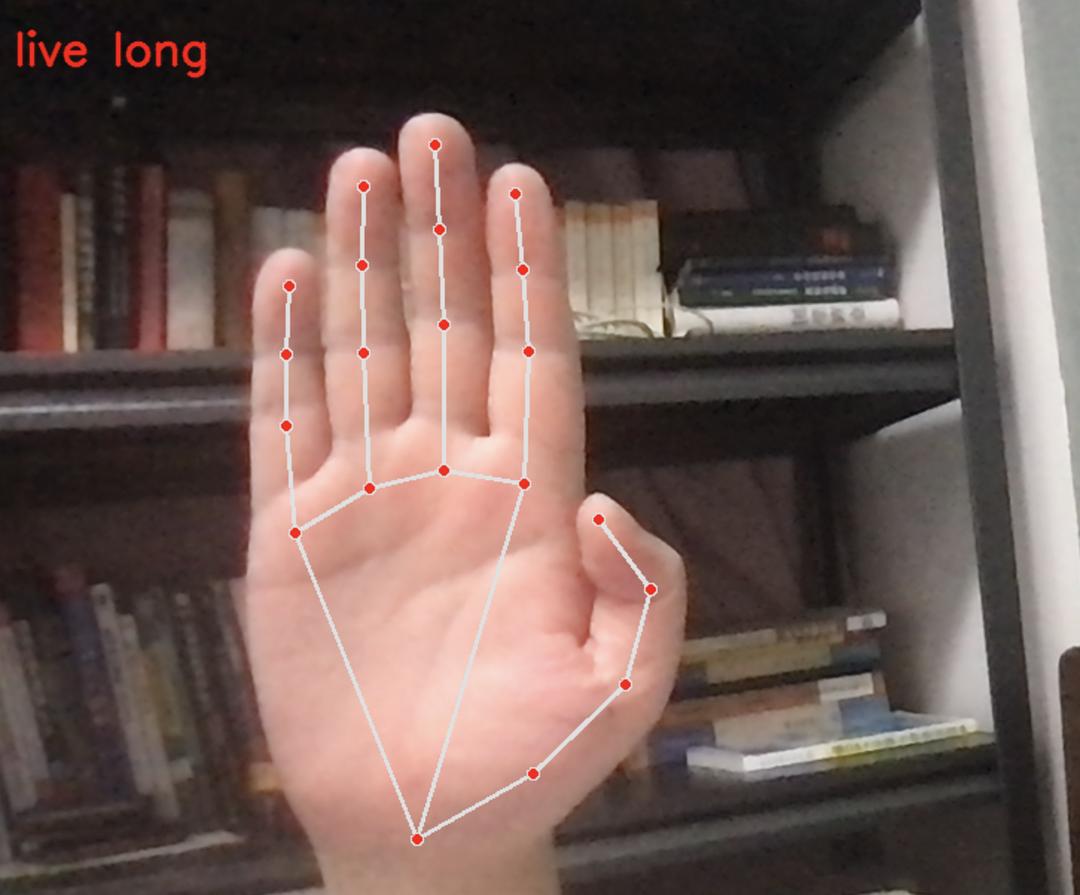
效果超级好,非常赞