需求背景:使用继电器控制两个USB风扇给笔记本电脑散热,但每次都需要手动开启十分繁琐,故希望依赖监控程序监控GPU温度,到达指定温度后,自动开始风扇,主动散热;
ATOM Socket Kit (HLW8023) - CN
https://docs.m5stack.com/zh_CN/atom/atom_socket_cn

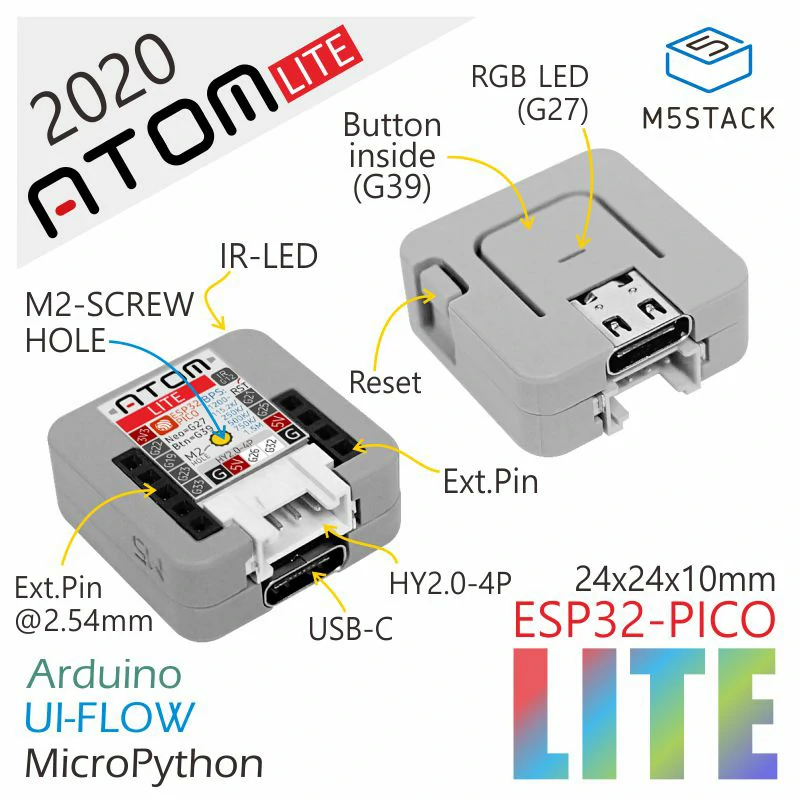
1、首先第一:
这东西是通过type-c链接电脑的
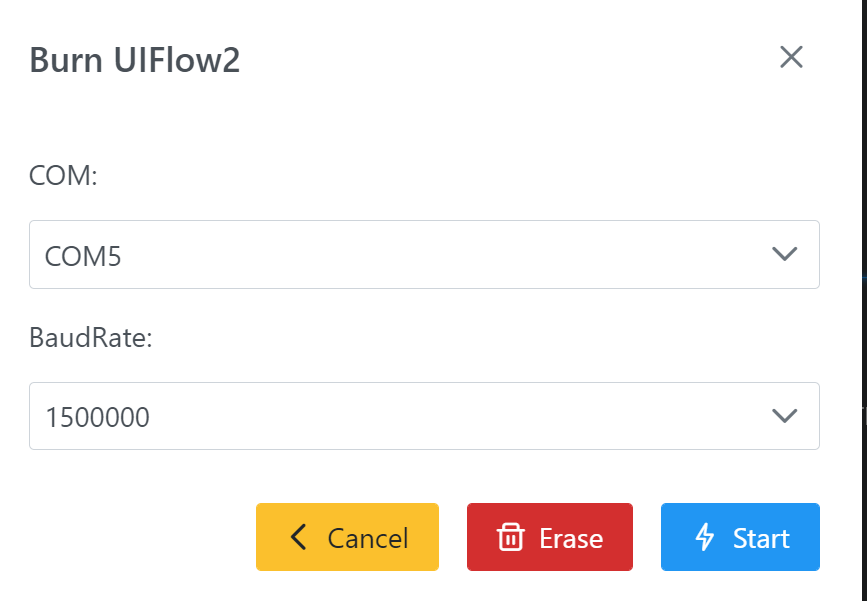
出场默认,这个模块被设置在转发计量器数据的模式
所以你一接上COM5口,就一堆堆的数据就出来了
还会显示Not Connected,其实这不是COM口没连接的提示,这个提示弄得我也懵逼的不行,后来才想通了,它的计量器在里面不断转发计量器的数据,那玩意会让你的串口窗口被填满。
所以我无奈了,只好,先拿过来Erase掉原来的出场程序
接下来把Burn写入最新的固件
OK,这才算初始化了,否则真闹心
============================================
2、初始程序还原:
选择Aotm Lite,BASE一定要选对
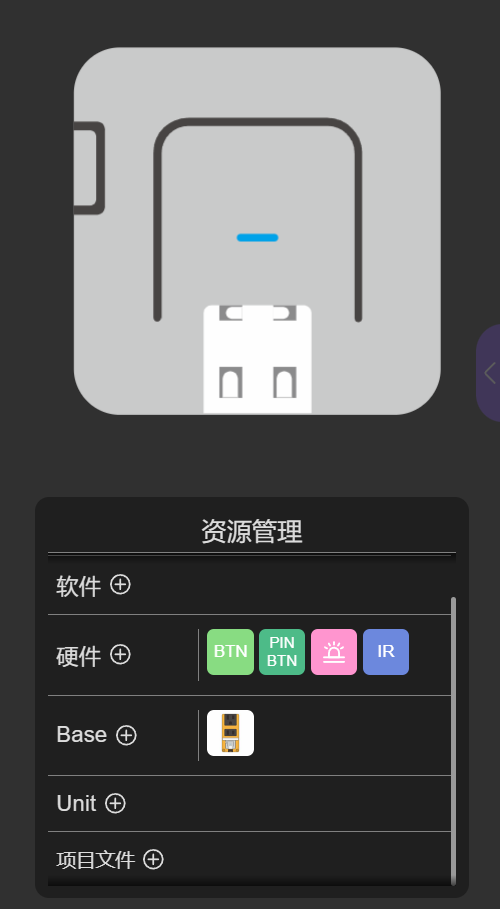
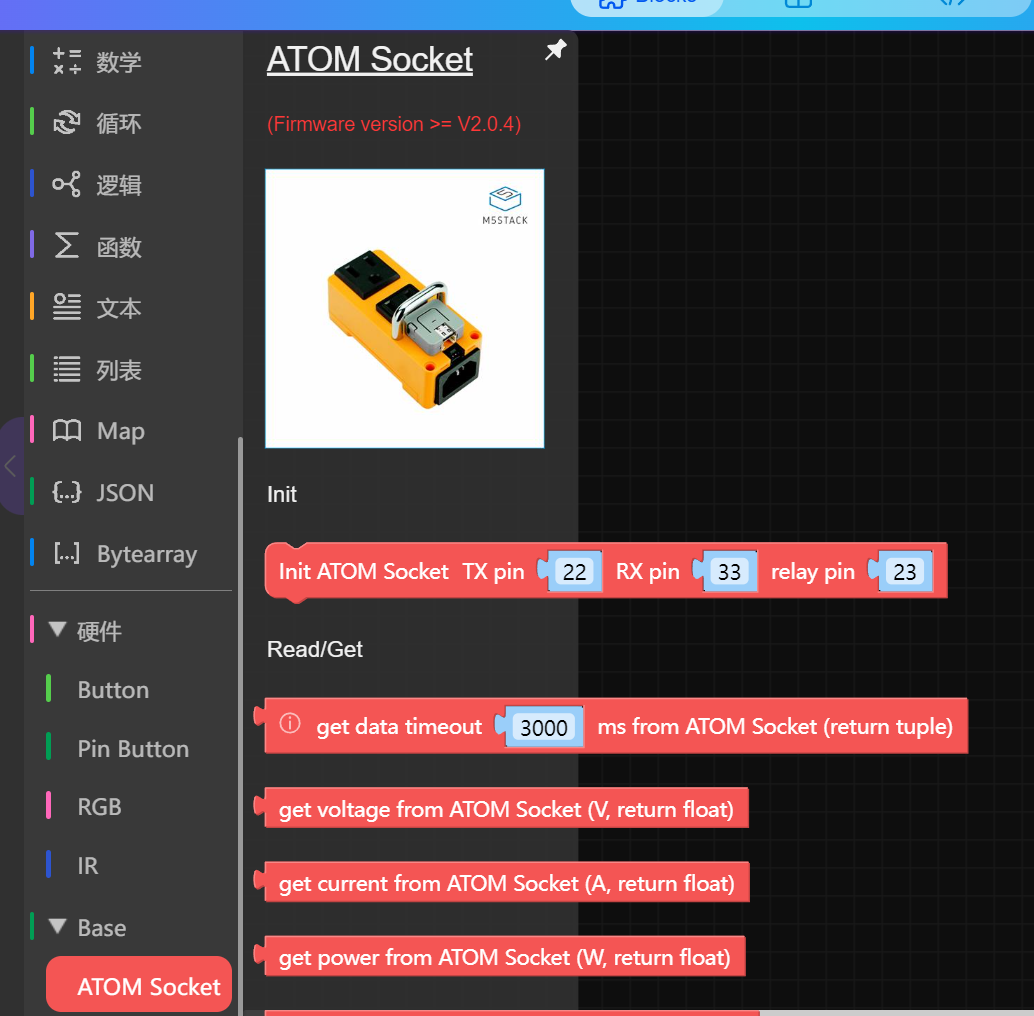
这样就能看到一堆的构建块
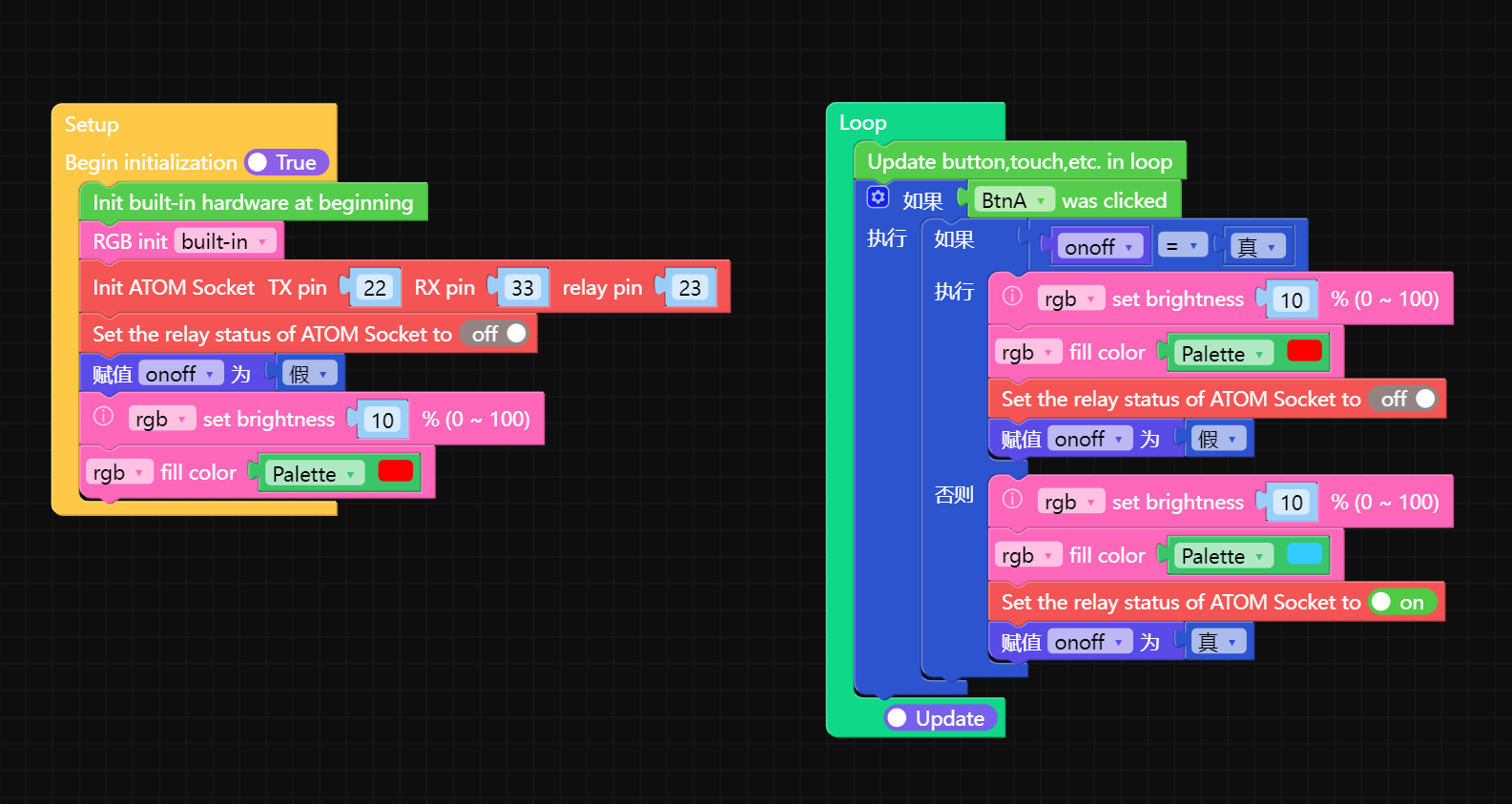
最后在我的这个业务场景下,其实我只需要
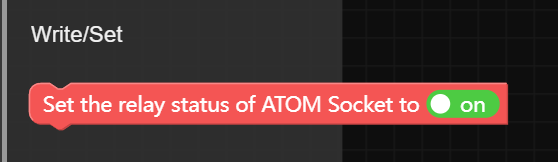
on/off就行了
============================================
3、实现控制:

点击左边的软件,增加MQTT
https://uiflow-micropython.readthedocs.io/en/latest/software/umqtt.default.html
文档
改成1883
- 1883 : MQTT, unencrypted, unauthenticated
OK
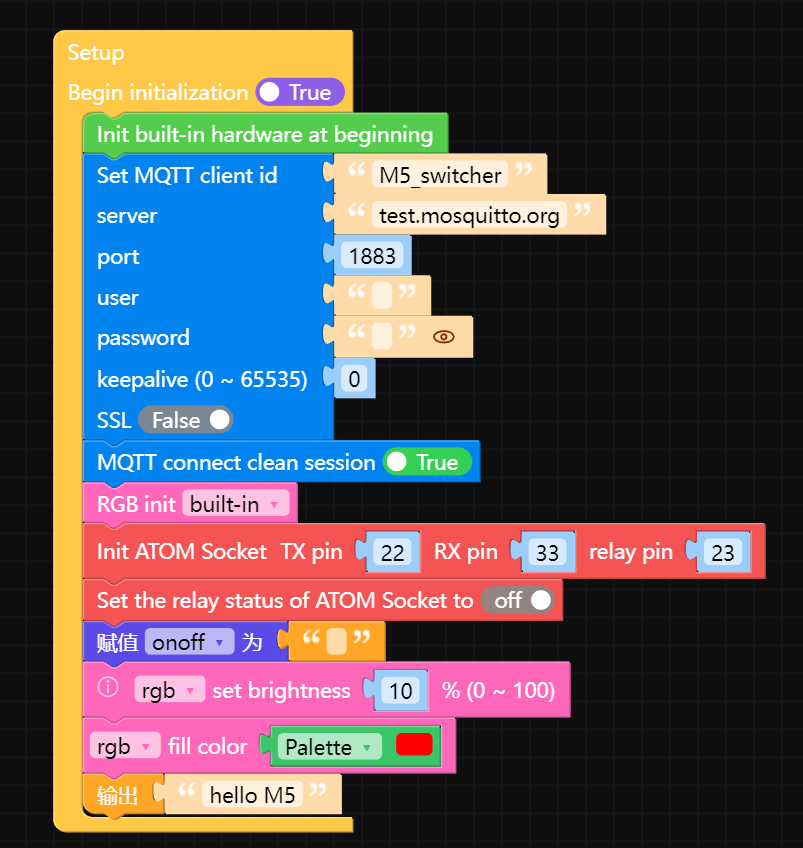
setup改造成这样
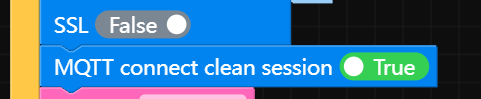
核心是需要加入这个,clean session
LOOP里面加入这个:
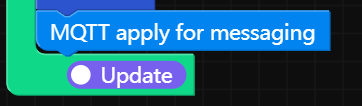
最后就是监听程序:
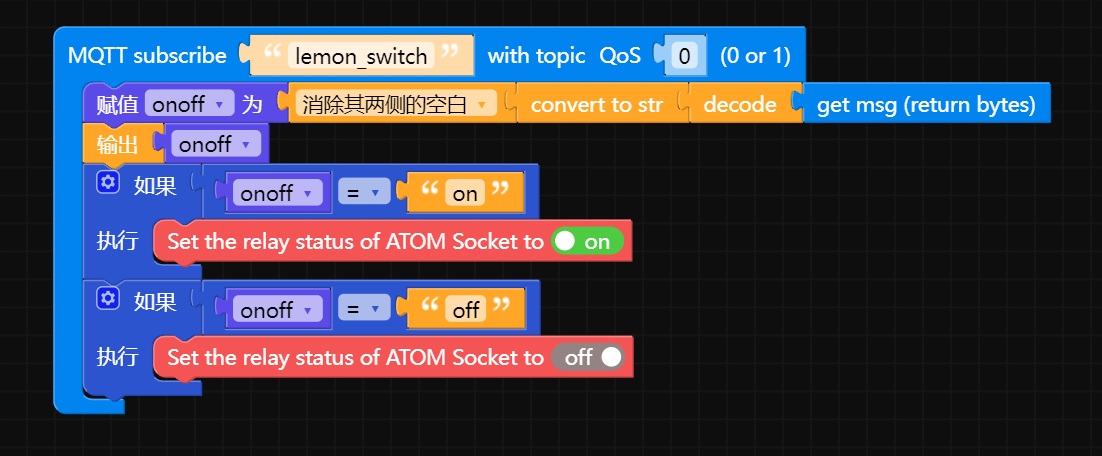
就是收到on,你就on,收到off,你就off
就这么简单。。。
硬件的程序部分就结束了其实
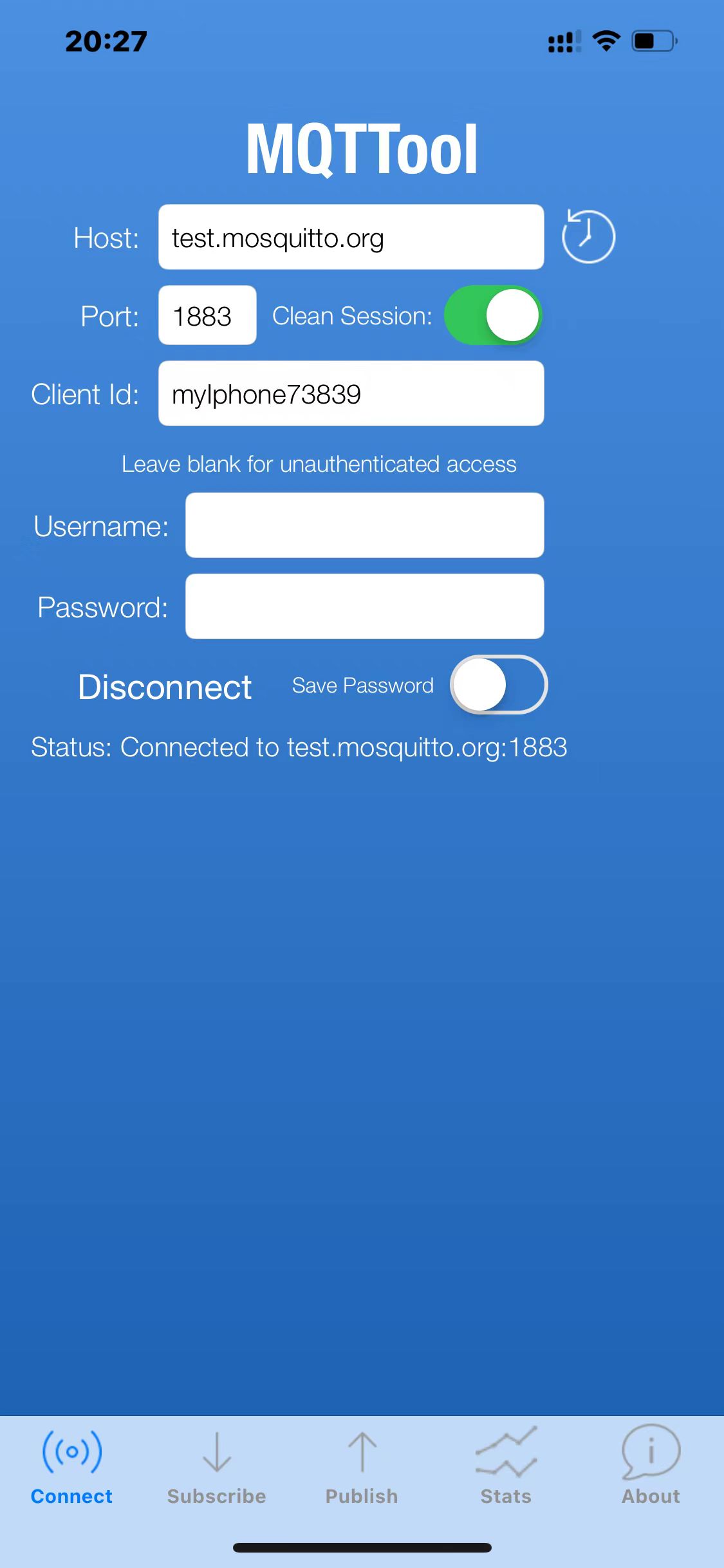
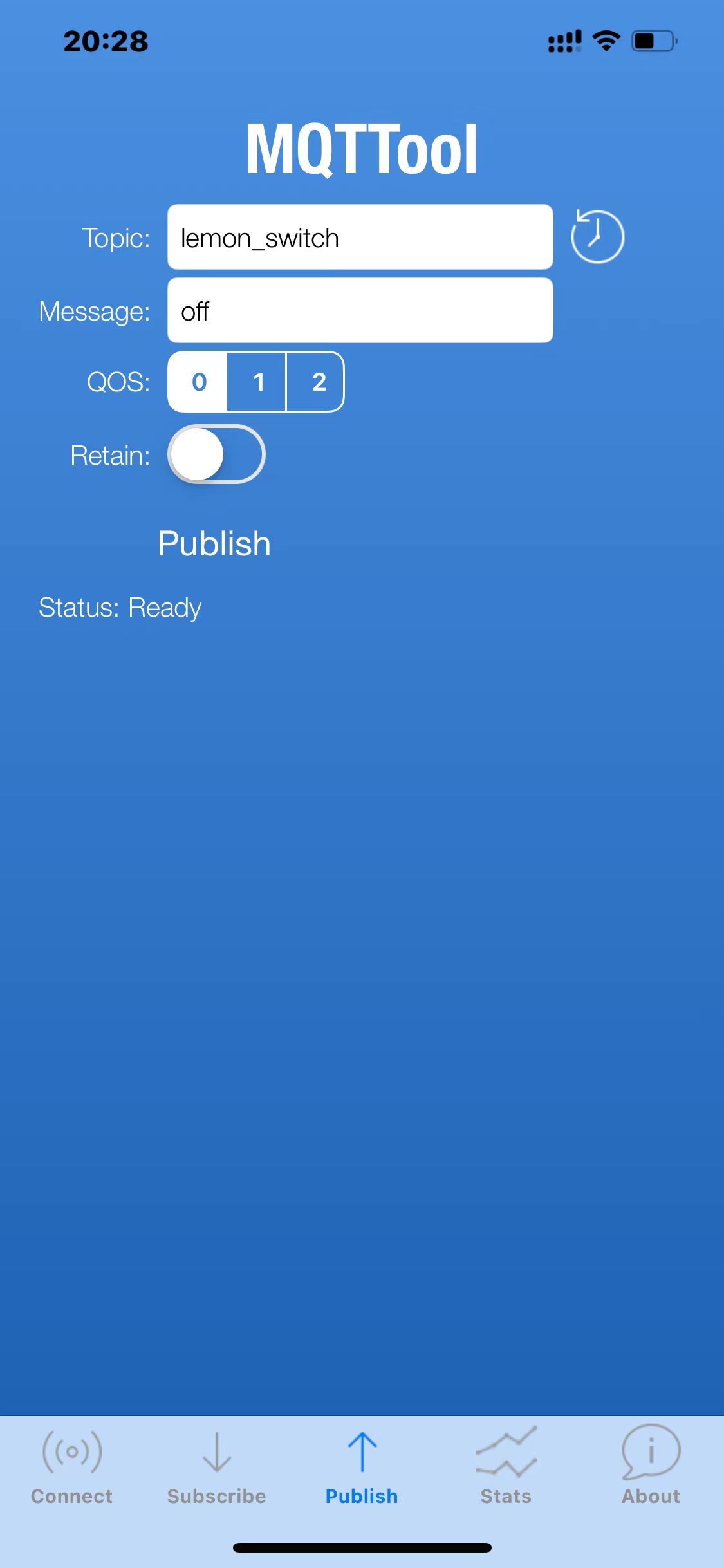
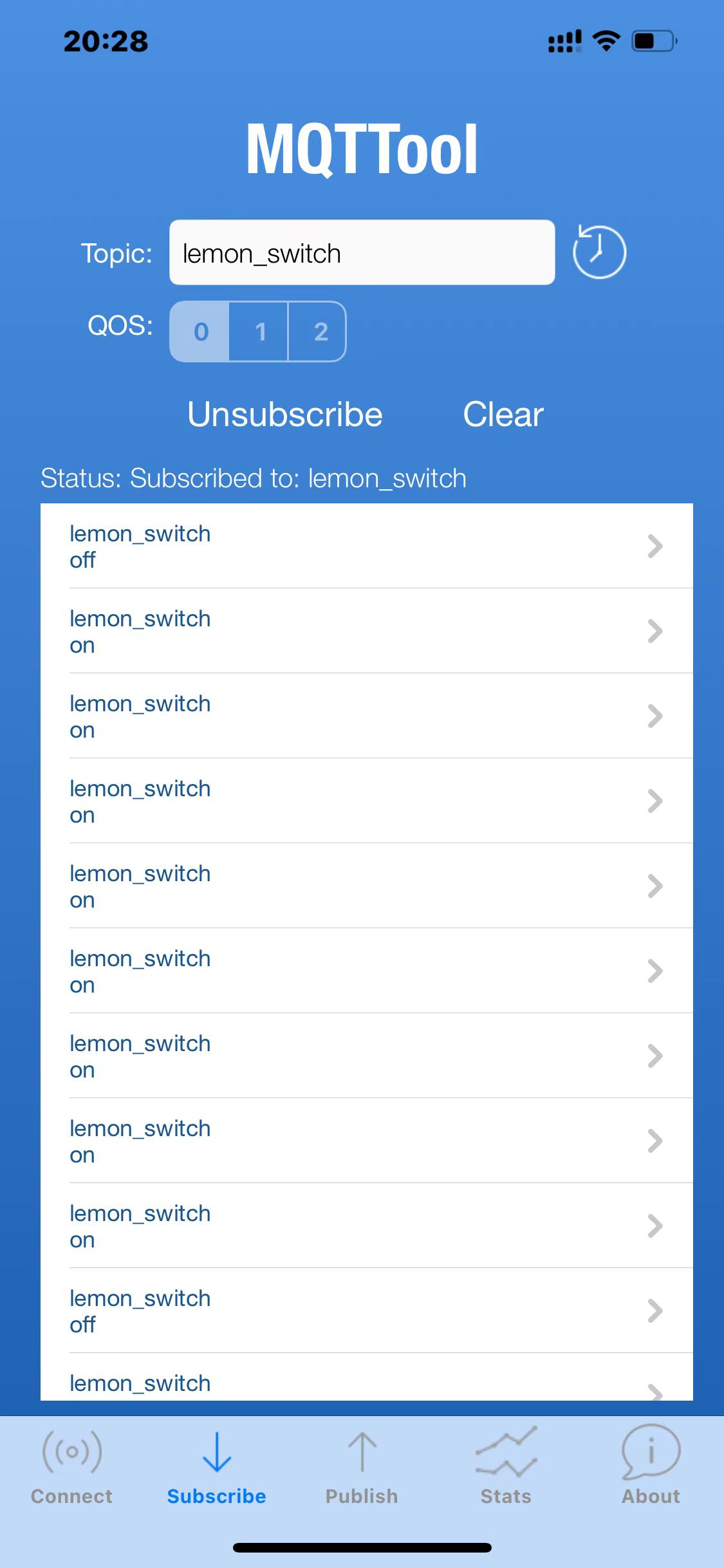
5、写入程序:
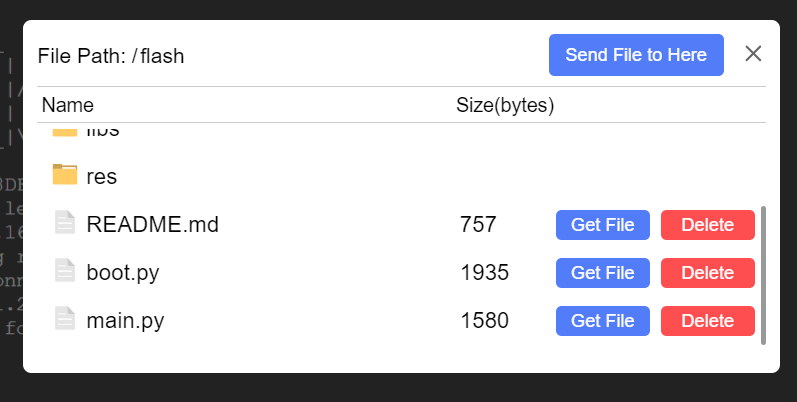
要先手动删除main.py
然后就可以send file了
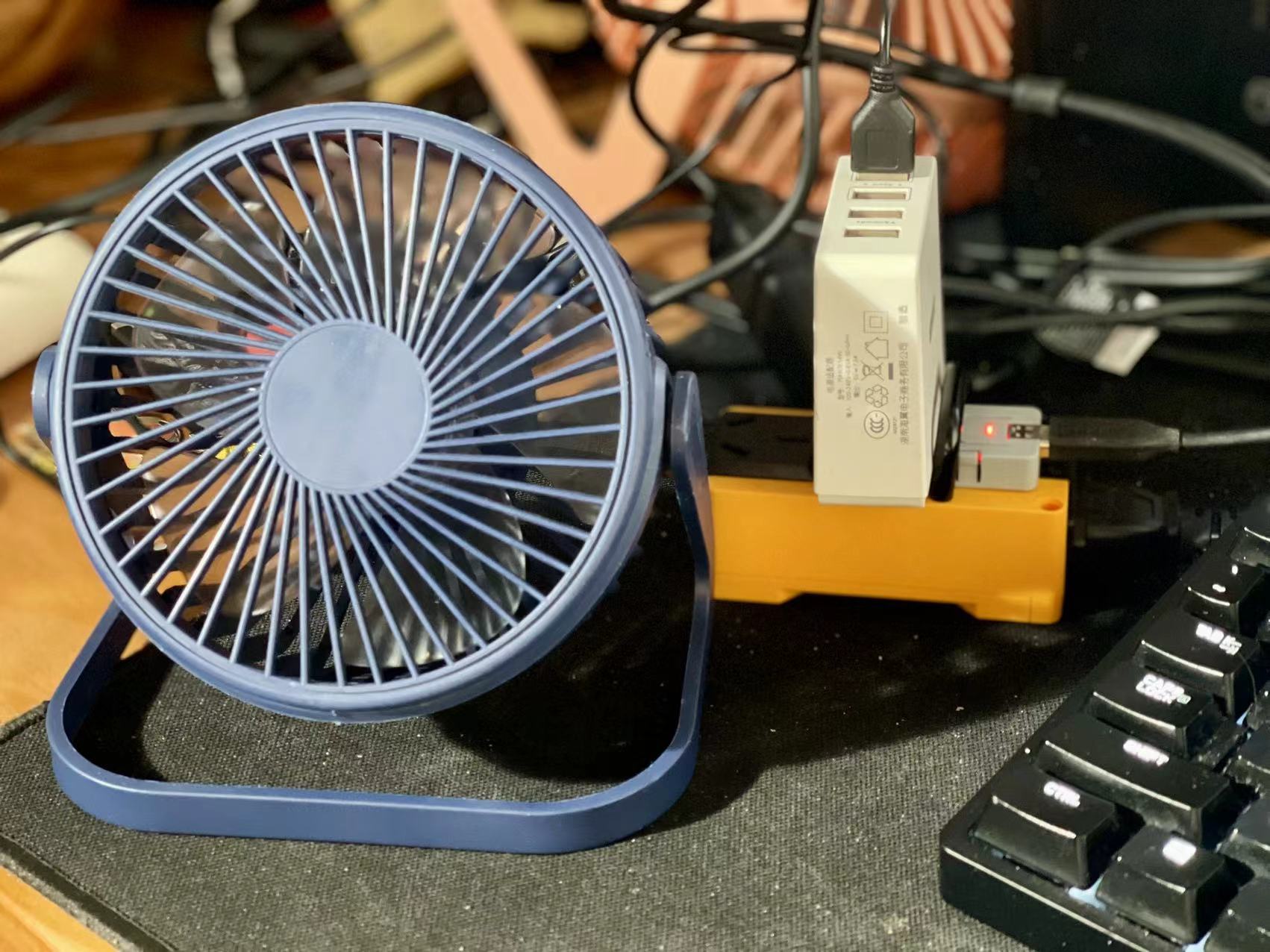
运行没有问题了,接下来就是服务器的python程序这边了
附上硬件的python程序,算是监听端吧
import os, sys, io
import M5
from M5 import *
from umqtt import *
from hardware import *
from base import ATOMSocketBase


mqtt_client = None
atomsocket = None
rgb = None


onoff = None


def mqtt_lemon_switch_event(data):
  global mqtt_client, atomsocket, rgb, onoff
  onoff = (str(((data[1]).decode()))).strip()
  print(onoff)
  if onoff == 'on':
    atomsocket.set_relay(True)
  if onoff == 'off':
    atomsocket.set_relay(False)


def setup():
  global mqtt_client, atomsocket, rgb, onoff

  M5.begin()
  mqtt_client = MQTTClient('M5_switcher', 'test.mosquitto.org', port=1883, user='', password='', keepalive=0)
  mqtt_client.connect(clean_session=True)
  mqtt_client.subscribe('lemon_switch', mqtt_lemon_switch_event, qos=0)
  rgb = RGB()
  atomsocket = ATOMSocketBase(1, port=(22, 33), relay=23)
  atomsocket.set_relay(False)
  onoff = ''
  rgb.set_brightness(10)
  rgb.fill_color(0xff0000)
  print('hello M5')


def loop():
  global mqtt_client, atomsocket, rgb, onoff
  M5.update()
  if BtnA.wasClicked():
    if onoff == True:
      rgb.set_brightness(10)
      rgb.fill_color(0xff0000)
      atomsocket.set_relay(False)
      onoff = False
    else:
      rgb.set_brightness(10)
      rgb.fill_color(0x33ccff)
      atomsocket.set_relay(True)
      onoff = True
  mqtt_client.wait_msg()


if __name__ == '__main__':
  try:
    setup()
    while True:
      loop()
  except (Exception, KeyboardInterrupt) as e:
    try:
      from utility import print_error_msg
      print_error_msg(e)
    except ImportError:
      print("please update to latest firmware")
# main.py
然后是呼叫端的程序:
import pynvml
import time
import paho.mqtt.client as mqtt

# MQTT 相关设置
broker = "test.mosquitto.org"
port = 1883
topic = "lemon_switch"

client = mqtt.Client(mqtt.CallbackAPIVersion.VERSION2)

def get_nvidia_temperature():
    pynvml.nvmlInit()
    handle = pynvml.nvmlDeviceGetHandleByIndex(0)  # 假设获取第一个显卡
    above_50_count = 0
    below_50_count = 0
    while True:
        temperature = pynvml.nvmlDeviceGetTemperature(handle, pynvml.NVML_TEMPERATURE_GPU)
        if temperature > 50:
            above_50_count += 1
            if above_50_count >= 3:
                client.connect(broker, port)
                client.publish(topic, "on")
                above_50_count = 0
                print(f"大于50度,启动风扇")
        elif temperature <= 50:
            below_50_count += 1
            if below_50_count >= 3:
                client.connect(broker, port)
                client.publish(topic, "off")
                below_50_count = 0
                print(f"小于等于50度,关闭风扇")
        print(f"当前 NVIDIA 显卡温度: {temperature} 度")
        time.sleep(3)

try:
    get_nvidia_temperature()
except KeyboardInterrupt:
    pynvml.nvmlShutdown()
    client.disconnect()


#别挂xxx的情况下:
# pip install pynvml
# pip install paho-mqtt
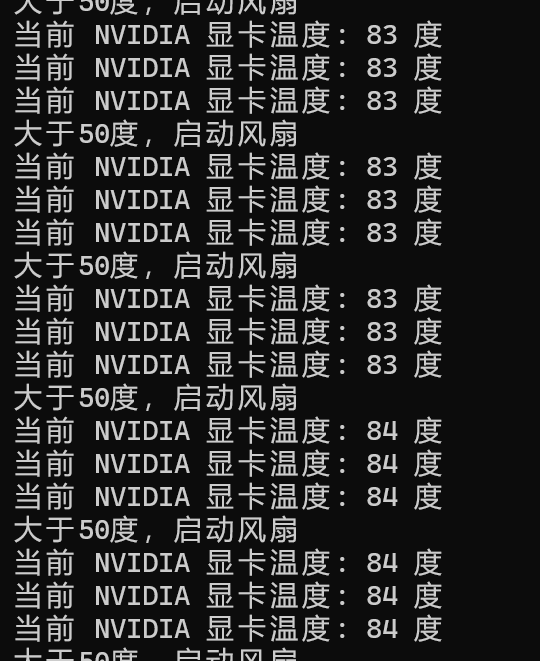
8、程序的两项优化:
8.1 pc端:
import pynvml
import time
import paho.mqtt.client as mqtt

# MQTT 相关设置
broker = "192.168.50.232"
port = 1883
topic = "lemon_switch"

client = mqtt.Client(mqtt.CallbackAPIVersion.VERSION2)

def get_nvidia_temperature():
    pynvml.nvmlInit()
    handle = pynvml.nvmlDeviceGetHandleByIndex(0)  # 假设获取第一个显卡
    above_50_count = 0
    below_50_count = 0
    while True:
        temperature = pynvml.nvmlDeviceGetTemperature(handle, pynvml.NVML_TEMPERATURE_GPU)
        if temperature > 50:
            above_50_count += 1
            below_50_count = 0  # 重置低于或等于 50 度的次数
            if above_50_count >= 10:
                client.connect(broker, port)
                client.publish(topic, "on")
                above_50_count = 0
                print(f"大于50度,启动风扇")
        elif temperature <= 50:
            below_50_count += 1
            above_50_count = 0  # 重置高于 50 度的次数
            if below_50_count >= 10:
                client.connect(broker, port)
                client.publish(topic, "off")
                below_50_count = 0
                print(f"小于等于50度,关闭风扇")
        print(f"当前 NVIDIA 显卡温度: {temperature} 度")
        time.sleep(3)

try:
    get_nvidia_temperature()
except KeyboardInterrupt:
    pynvml.nvmlShutdown()
    client.disconnect()


#别挂xxx的情况下:
# pip install pynvml
# pip install paho-mqtt
加入了重置计数器的逻辑,让这个过程是连续累计十次,才会去开关风扇
等于是30秒内超过温控的阈值才会启动这个过程mqtt_client = MQTTClient('M5_switcher', '192.168.50.232', port=1883, user='', password='', keepalive=65535)其二是M5那边改成了65535
18天左右,才会断开链接啥的
还需要再优化,比如凌晨4点左右给M5做一个强制的重启,这种单片机真的是不用吝啬重启这种操作